# Install
bun install -g @gmickel/gno

# macOS: Vector search requires Homebrew SQLite
brew install sqlite3

# Point at your files
gno init ~/obsidian-vault --name vault
gno init ~/projects/docs --name docs

# Index everything
gno index

# Search
gno query "authentication best practices"
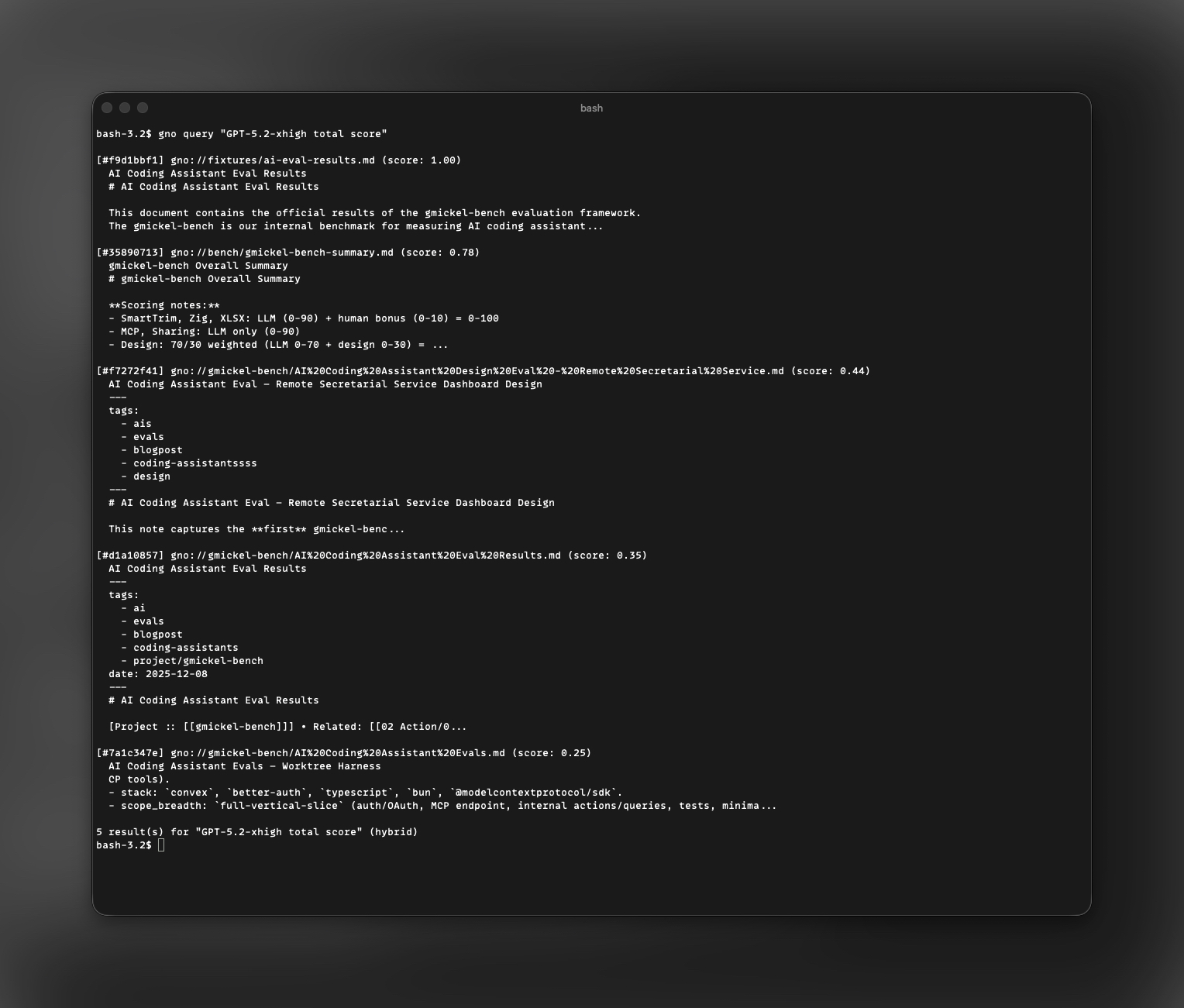
gno ask "summarize the API discussion" --answer

# Give your AI agent access
gno skill install --scope user          # Claude Code / Codex / OpenCode
gno mcp install --target cursor # Cursor / Zed / WindsurfSearch Every File You Own
Obsidian vaults. Project docs. PDFs. Code. One hybrid search pipeline—fully local, fully private.
Point GNO at any directory on your machine. It indexes everything—Markdown, PDF, Office docs—and makes it searchable from the CLI, a web dashboard, or your AI coding agent. No cloud. No API keys. Your data never leaves your machine.
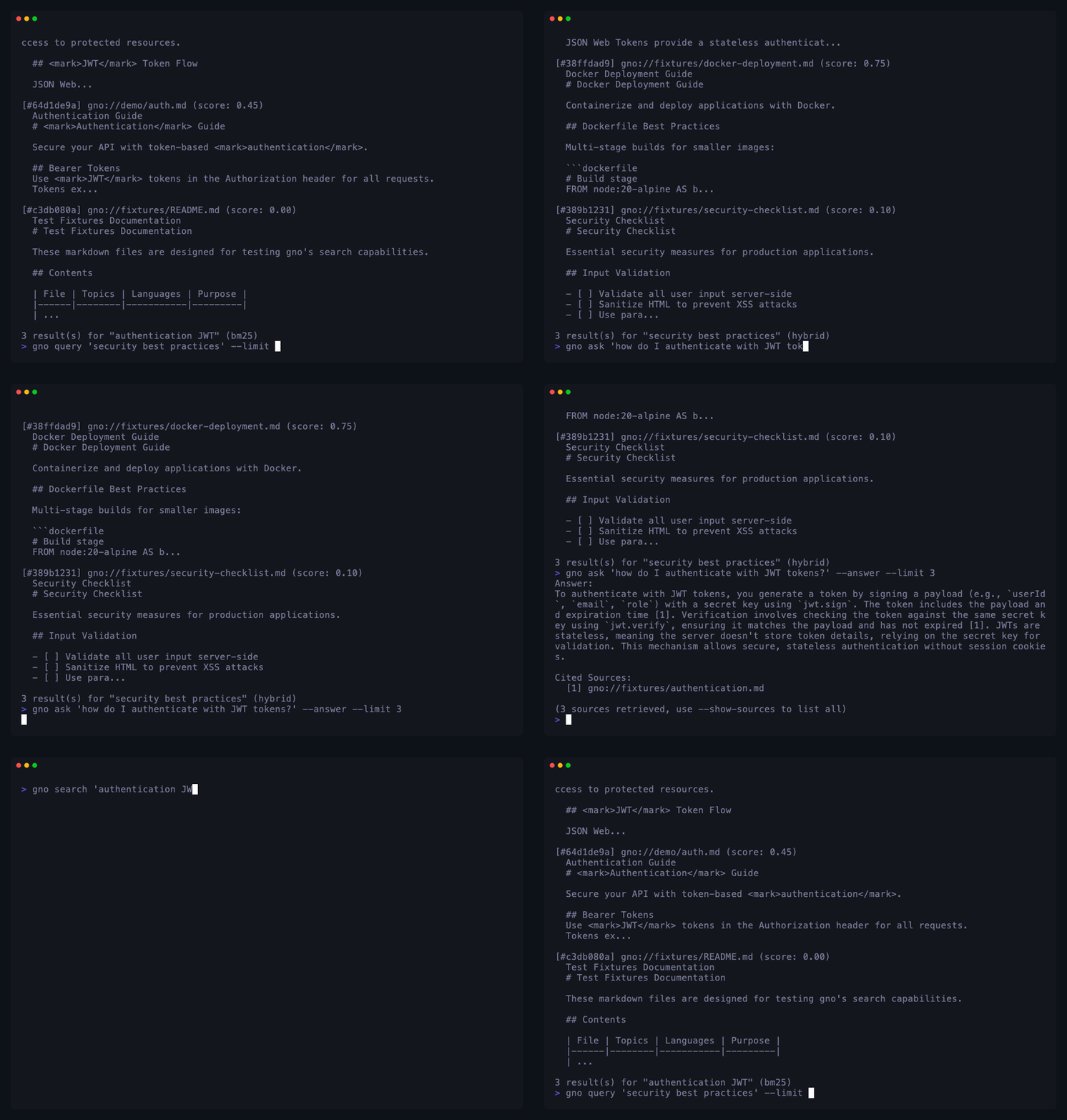
Three Commands to Searchable Knowledge
1
Point
Add any directory—Obsidian vault, project docs, research papers, code repos.
gno init ~/vault --name notes
2
Index
GNO builds BM25 + vector indexes. Understands 30+ languages. Incremental re-indexing.
gno index
3
Search
Hybrid search from CLI, Web UI, REST API, or any AI agent via MCP / Skills.
gno query "auth best practices"
Built for How You Actually Work
For Knowledge Workers
How search works →
Your Obsidian Vault, Supercharged
You have thousands of notes across Obsidian, Logseq, or plain Markdown folders. GNO indexes them all and adds what your note app can't—hybrid semantic search, AI-powered answers with citations, and a knowledge graph that reveals connections you didn't know existed.
gno query "what did we decide about the API redesign"
gno ask "summarize my meeting notes from last week" --answer
For AI Agents
Agent integration →
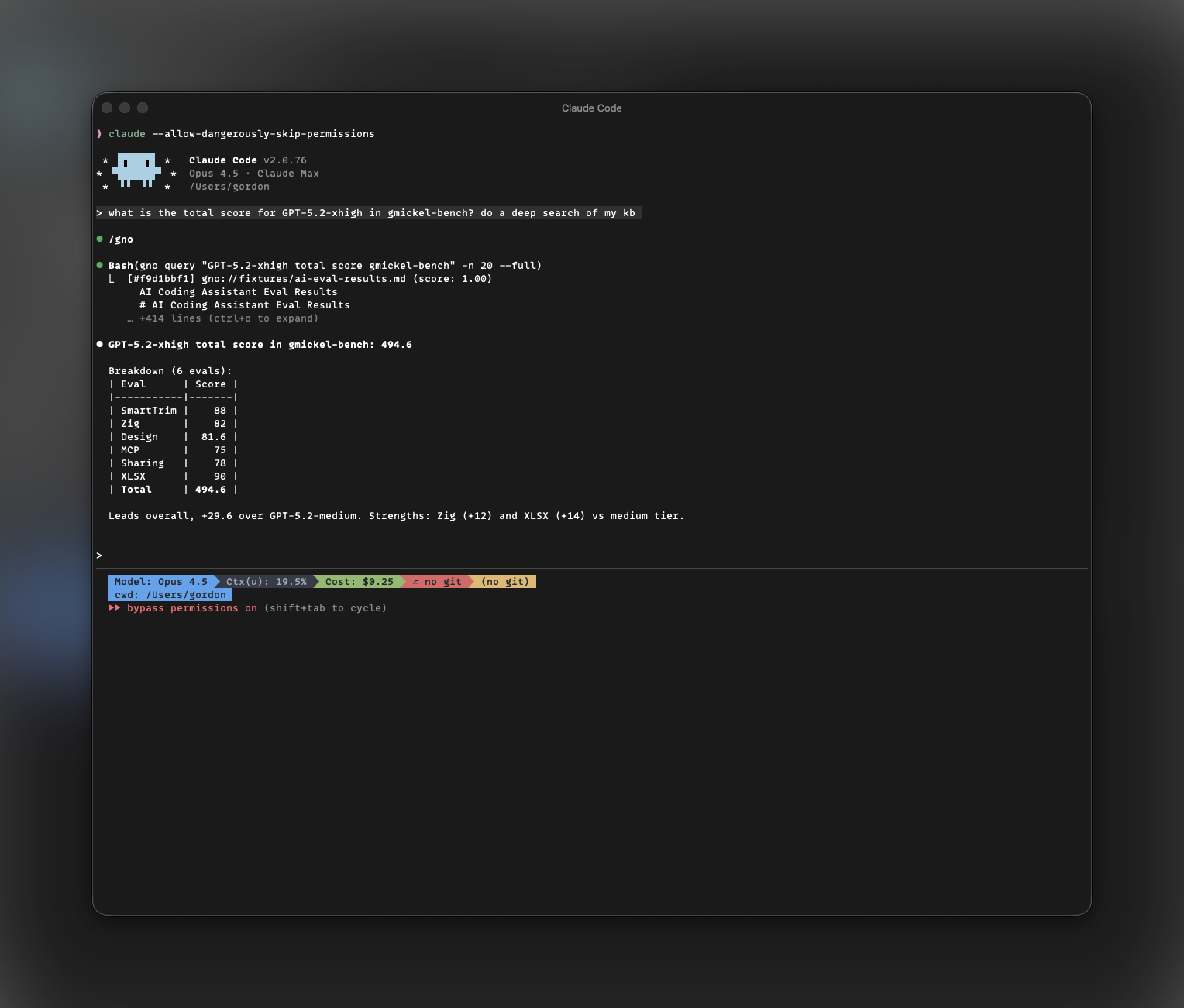
Give Your Coding Agent a Memory
Claude Code, Codex, OpenCode, OpenClaw, Cursor—they're powerful but amnesiac. Install GNO as a skill or MCP server and your agent can search your entire knowledge base on demand. Zero context pollution, instant retrieval.
gno skill install --scope user
gno mcp install --target cursor
For Developers
SDK docs →
Embed Search in Your App
Use GNO as a TypeScript SDK, REST API, or CLI pipe. Build internal tools, automate knowledge retrieval, or add semantic search to any workflow. JSON output everywhere, scriptable and composable.
gno search "JWT token" --json | jq '.results[].uri'
curl localhost:3000/api/query -d '{"q":"auth"}'
What's New in v0.26
Skills for Every Agent
One-line install for Claude Code, Codex, OpenCode, and OpenClaw. Zero MCP overhead, on-demand retrieval.
Learn more →Fine-Tuned Retrieval
Published slim-retrieval-v1 on Hugging Face. Train your
own with local MLX LoRA, export portable GGUF.
SDK & Library Mode
Import GNO directly into Bun/TypeScript apps.
createGnoClient() for programmatic search without
subprocess overhead.
Structured Queries
Multi-line query documents with term:,
intent:, and hyde: for explicit retrieval
control.
Everything You Need
Hybrid Search
BM25 full-text + vector similarity with reciprocal rank fusion and cross-encoder reranking.
AI Answers
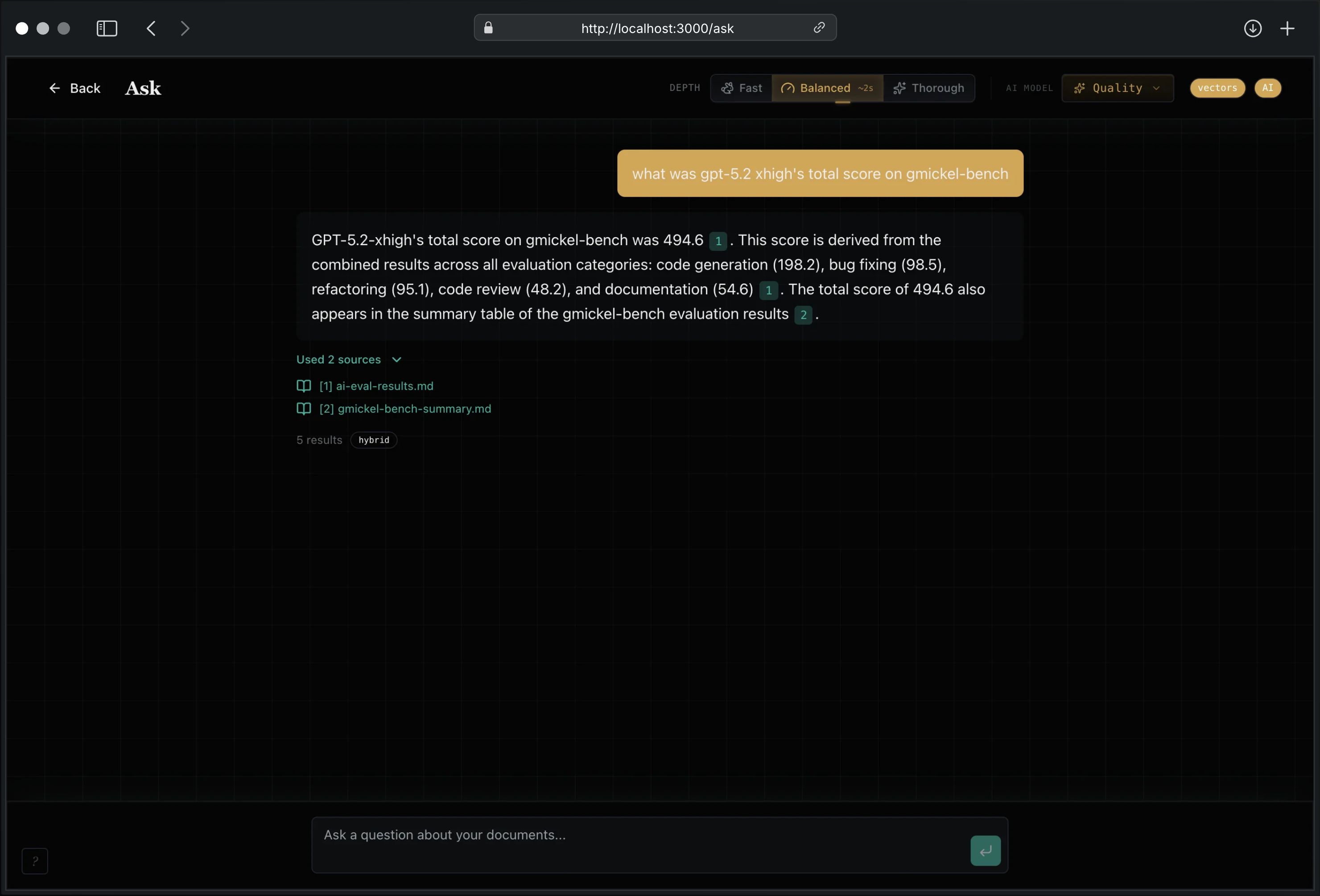
Cited, grounded responses from your own documents. Local LLM or remote GPU—no cloud APIs.
Privacy First
100% local. Zero telemetry. Works offline. Your documents never leave your machine.
Agent Skills
One-line install for Claude Code, Codex, OpenCode, OpenClaw. Zero context pollution.
MCP Server
19 tools for Claude Desktop, Cursor, Zed, Windsurf, Amp, Raycast, and more.
Multi-Format
Markdown, PDF, DOCX, XLSX, PPTX, plain text. Frontmatter extraction and language detection.
Web UI
Dashboard for search, browse, edit, and AI Q&A. Knowledge graph visualization. Keyboard-first.
Fine-Tuned Models
Published retrieval model on Hugging Face. Train your own with local MLX LoRA.
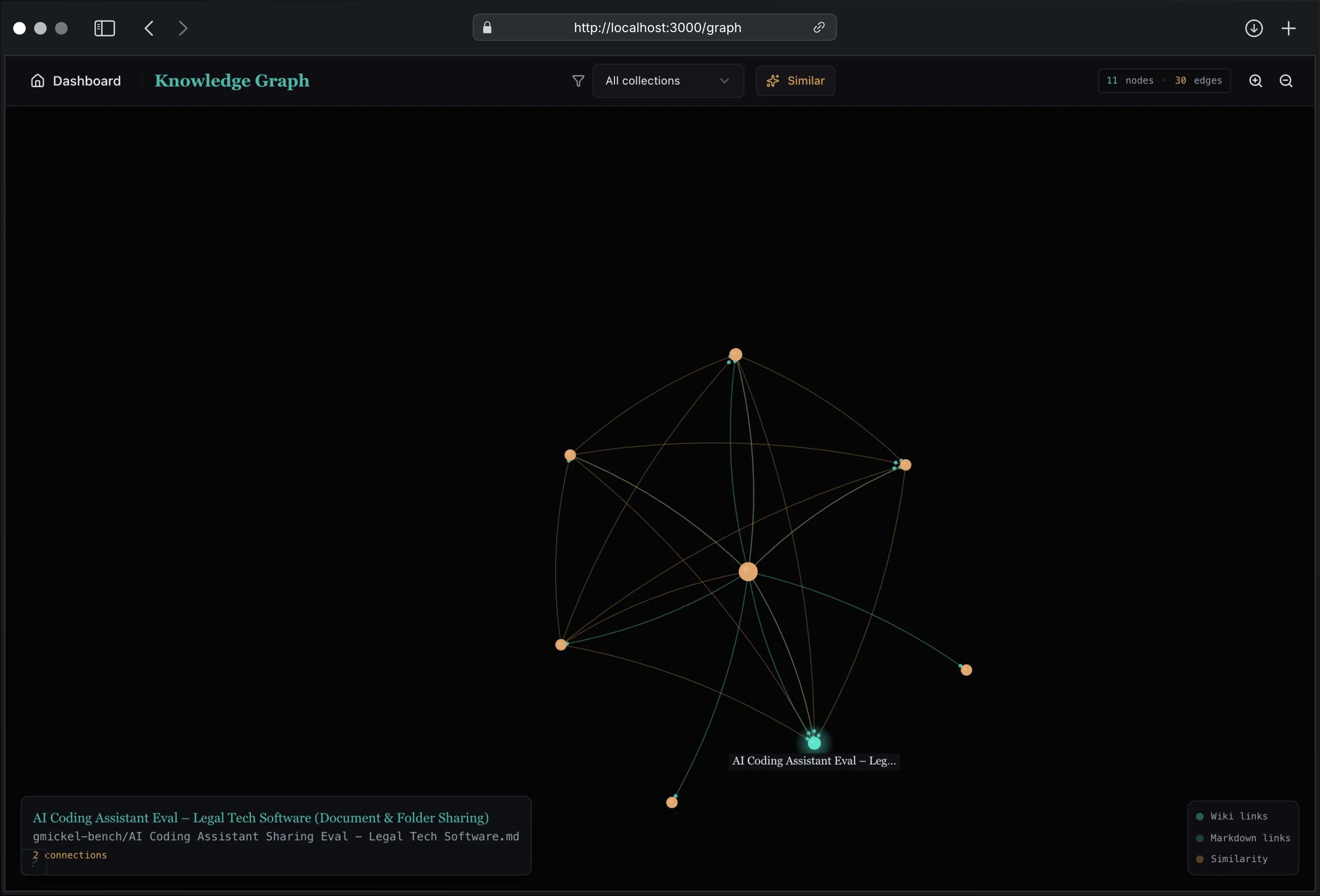
Knowledge Graph
Interactive visualization of wiki links, markdown links, and semantic similarity edges.
Tags & Filtering
Hierarchical tags from frontmatter. Temporal, author, and category filters. AND/OR logic.
REST API & SDK
35+ HTTP endpoints. TypeScript SDK for embedding GNO in your own apps. JSON everywhere.
Fast CLI
Bun-powered instant startup. Search 15,000+ docs in milliseconds. JSON, CSV, Markdown output.
Quick Start
Why GNO?
Your files are scattered across Obsidian vaults, project directories, research folders, and code repos. Existing search is either fast but dumb (grep, Spotlight) or smart but cloud-dependent. GNO runs a full hybrid search pipeline—BM25 keyword matching, vector similarity, query expansion, cross-encoder reranking—entirely on your machine.
15,000+ documents. Sub-second search. Zero cloud.
The Ideal AI Agent Companion
Your coding agent is only as good as the context it can access. GNO gives Claude Code, Codex, OpenCode, OpenClaw, Cursor, and any MCP-compatible client instant access to your entire knowledge base.
Skills (Zero Overhead)
Install GNO as a skill—no MCP server, no context window pollution. Your agent calls GNO on demand.
gno skill install --scope user                # Claude Code (default)
gno skill install --target codex              # OpenAI Codex
gno skill install --target opencode           # OpenCode
gno skill install --target openclaw           # OpenClaw
gno skill install --target all                # All agents at once
MCP Server (19 Tools)
Connect GNO to Claude Desktop, Cursor, Zed, Windsurf, Amp, Raycast, LM Studio, and more:
gno mcp install                    # Claude Desktop (default)
gno mcp install --target cursor    # Cursor
gno mcp install --target zed       # Zed
gno mcp install --target windsurf  # Windsurf
gno mcp install --target amp       # Amp
# ... and 6 more targets
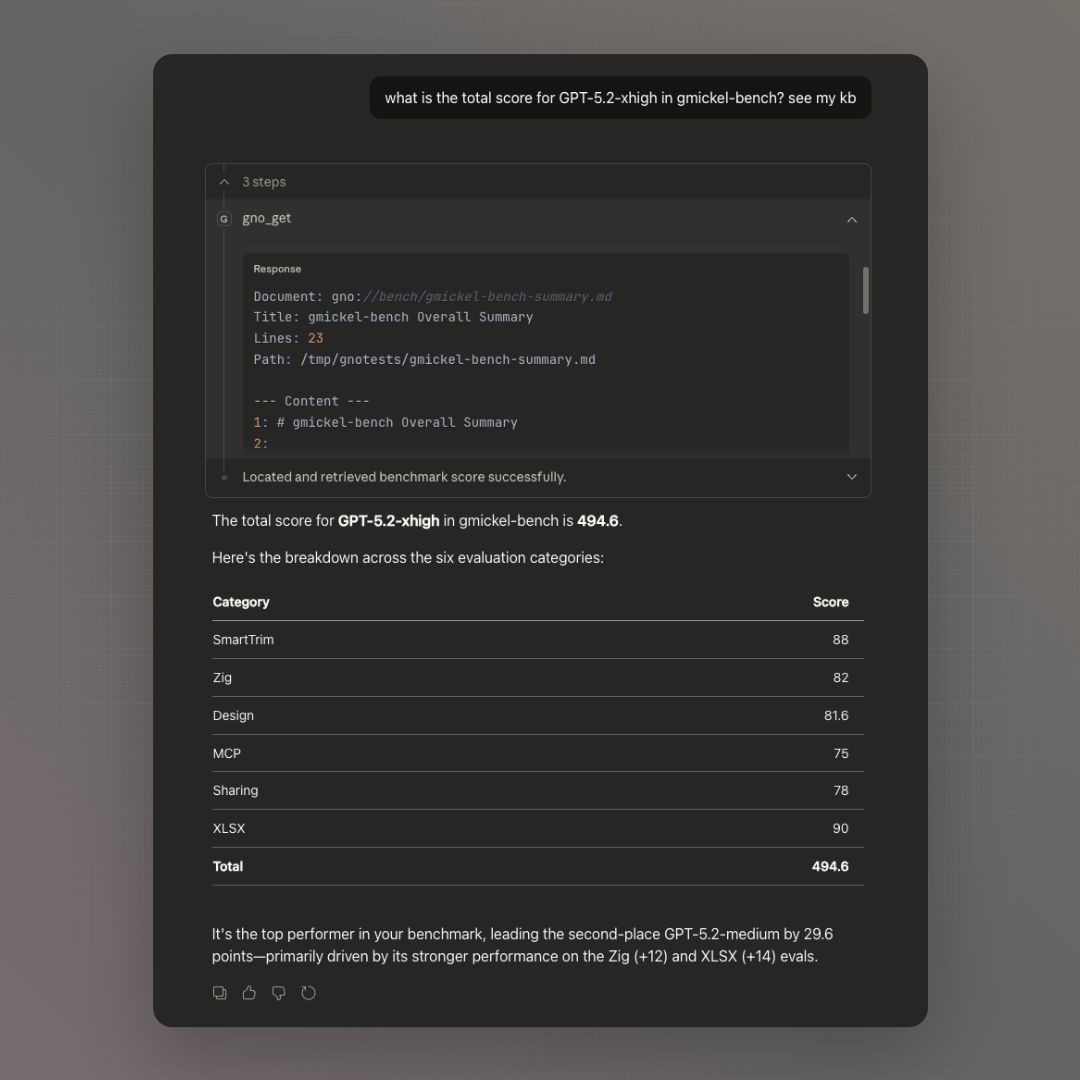
Once connected, ask things like:
“Search my notes for the authentication decision and summarize the trade-offs.”
For Builders
Embed GNO directly inside another Bun or TypeScript app with the SDK—no subprocess overhead, no local server.
import { createDefaultConfig, createGnoClient } from "@gmickel/gno";

const config = createDefaultConfig();
config.collections = [
  {
    name: "notes",
    path: "/Users/me/notes",
    pattern: "**/*",
    include: [],
    exclude: [],
  },
];

const client = await createGnoClient({ config, dbPath: "/tmp/gno-sdk.sqlite" });
await client.index({ noEmbed: true });
const results = await client.search("JWT token");
await client.close();
For Humans
Stop grepping through thousands of Markdown files. Ask GNO questions in plain English and get cited answers from your own notes, documentation, and code.
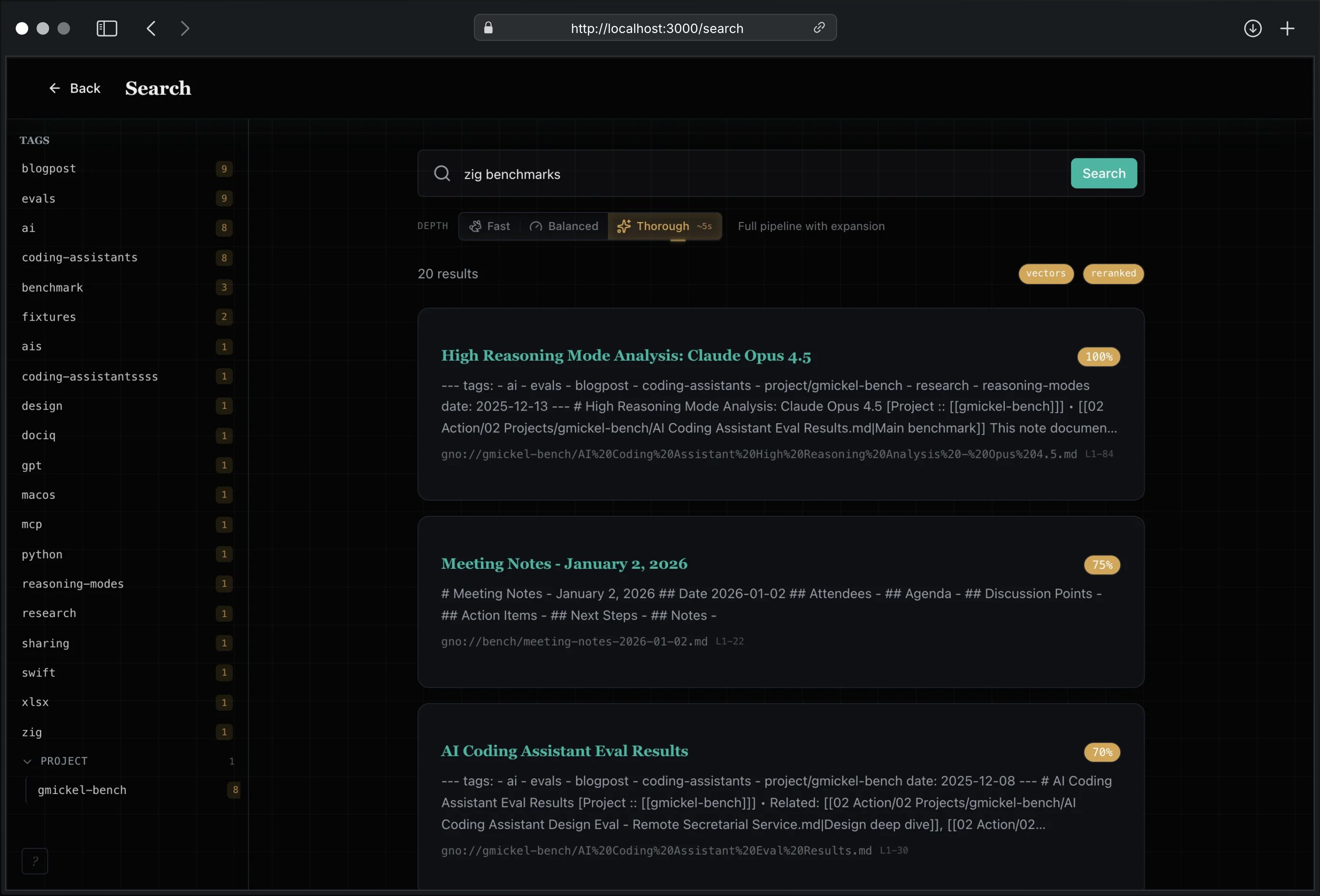
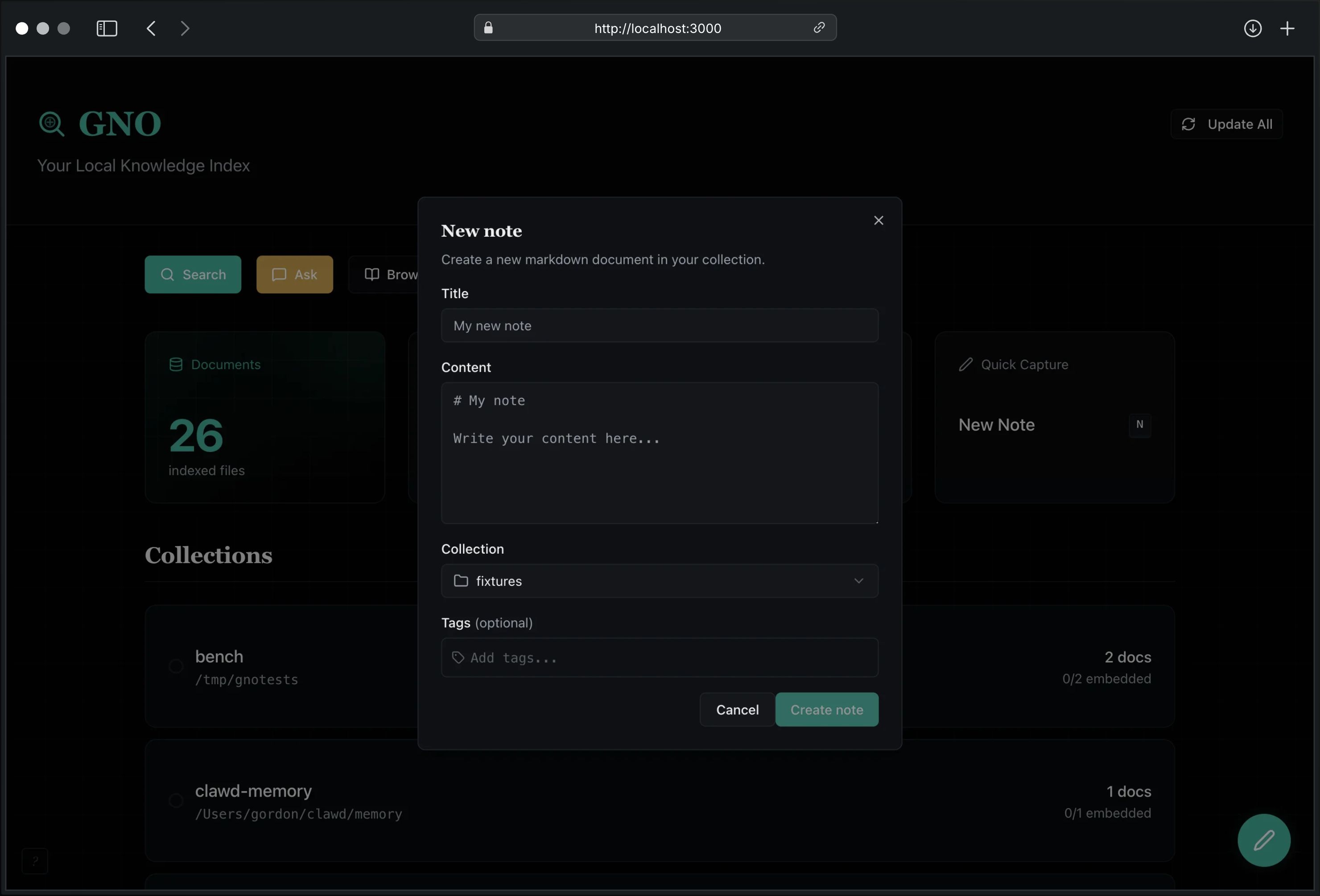
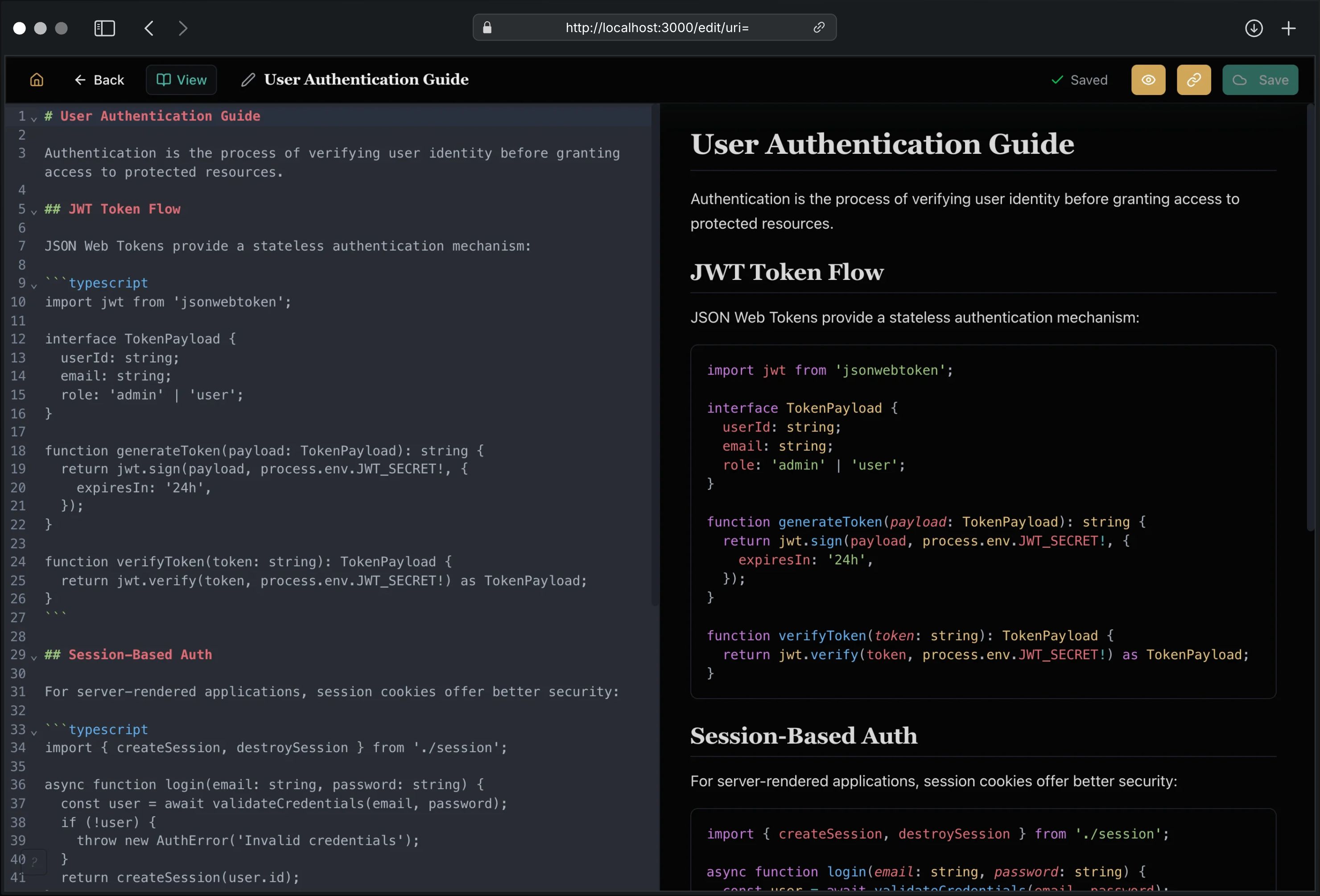
The Web UI provides a visual dashboard for search, browsing, safe editing, quick switching, linked-note creation, and AI-powered answers. First-run users get a guided onboarding flow to add folders, pick a plain-language preset, and see real health checks for models, indexing, and disk before anything feels broken. Recent notes, favorite docs, pinned collections, and the new app-level tab strip now stay visible outside the keyboard-only quick switcher. Converted binary sources stay read-only, while markdown/plaintext notes remain editable. Filter by tags extracted from your frontmatter for instant precision.
The first GNO Desktop Beta now wraps that same workspace in a thin native shell on macOS, keeping deep links, singleton handoff, and desktop-style onboarding aligned with the web experience instead of inventing a second product surface.
Prefer terminal-only continuous indexing? gno daemon
runs the same watch/sync/embed loop headlessly, so CLI and agent workflows can
stay fresh without a browser or desktop shell open.
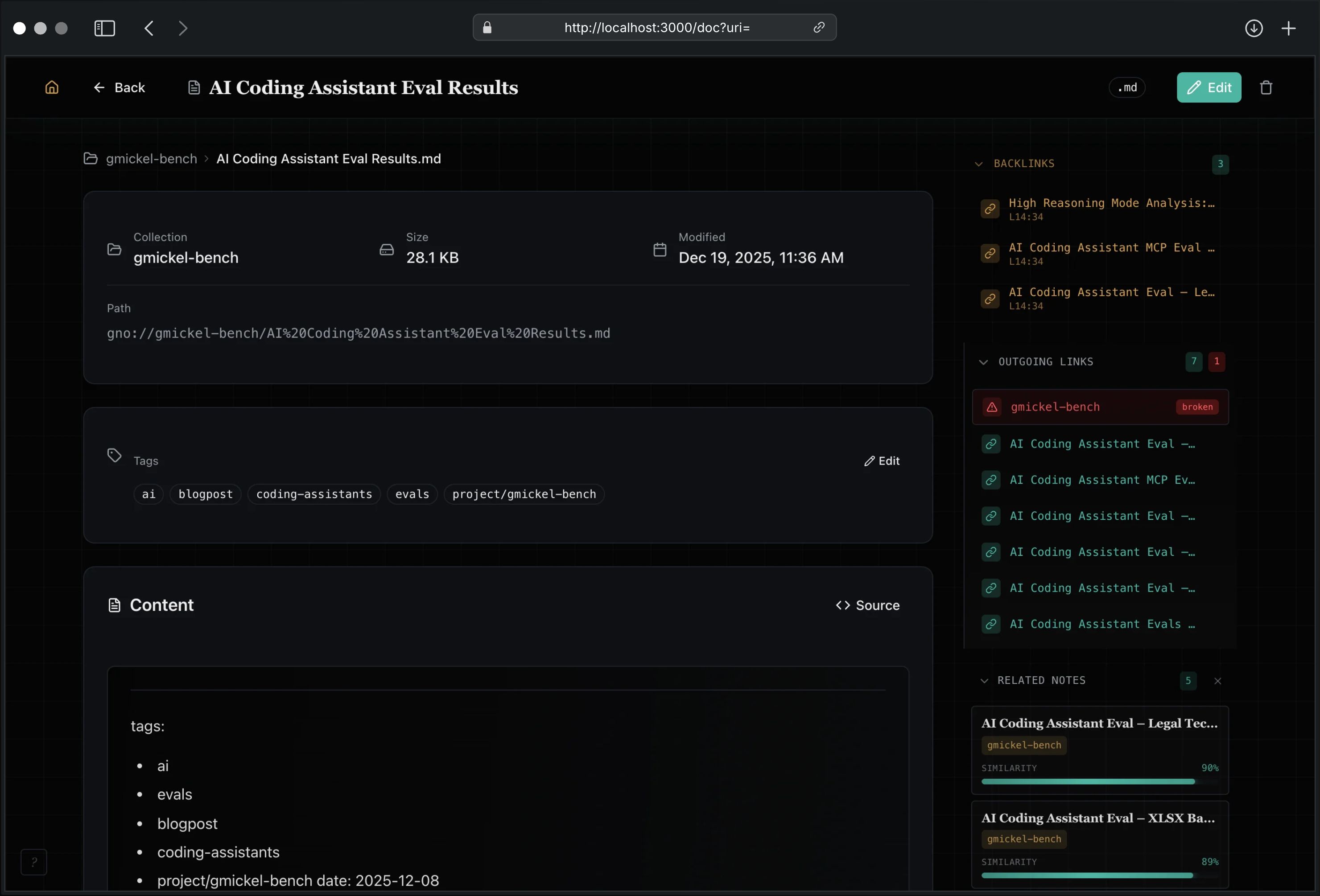
Knowledge Graph
See how your ideas connect. The interactive knowledge graph visualizes wiki links, markdown links, and semantic similarity as a navigable constellation. Click any node to jump to that document.