Use Cases
Real-world workflows for common scenarios.
The Second Brain Problem
You’ve built a personal knowledge base. Maybe it’s Obsidian, maybe it’s thousands of markdown files across folders. 15,000 documents of notes, journals, meeting logs, ideas, and reference material accumulated over years.
The dream: hook it up to your AI assistant. Ask Claude “have I worked on something like this before?” and get a real answer grounded in your actual notes.
The reality with existing tools: search is terrible. Obsidian MCP servers find nothing useful. Keyword search misses conceptual matches. Your second brain is locked away.
GNO Fixes This
# Index your entire Obsidian vault
gno init ~/Documents/Obsidian --name vault --pattern "**/*.md"
gno update

# Hook up to Claude Desktop (see MCP.md)
# Or install as a skill for Claude Code
gno skill install --scope user
Now your AI can actually search your knowledge:
“Have I written about authentication patterns before?”
“Find my notes from the last time I set up a CI pipeline”
“What did I decide about the database schema for that side project?”
Combine With Everything Else
GNO becomes one tool in your AI assistant’s toolkit. Combine it with:
- Email MCP - “Check my emails from Sarah and cross-reference with my project notes”
- Calendar MCP - “What meetings do I have tomorrow? Pull up my notes on those topics”
- Custom skills - “Fetch today’s emails, summarize them, and check if any relate to open items in my notes”
The workflow becomes:
- Claude reads your email
- Claude searches your notes for context
- Claude drafts a response with full background
All local. All private. Your data never leaves your machine.
Why GNO Works Where Others Fail
- Hybrid search - BM25 for exact terms + vectors for concepts
- Scales to 15,000+ files - SQLite + FTS5 handles it
- Query expansion - LLM rewrites your question for better matches
- Reranking - Cross-encoder picks the truly relevant results
- Skills - Native integration for Claude Code, Codex, OpenCode, OpenClaw via CLI (no context pollution)
- MCP standard - Works with Claude Desktop, Cursor, any MCP client
Your second brain finally becomes accessible.
Personal Notes
Index and search your note-taking system.
Setup
# Initialize with notes folder
gno init ~/notes --name notes --pattern "**/*.md"

# Index
gno update
Daily Workflow
# Find what you wrote about a topic
gno search "project meeting decisions"

# Semantic search for ideas
gno vsearch "how to improve productivity"

# Get AI summary
gno ask "what did I decide about the API design" --answer
Tips
- Use
--excludefor template or boilerplate folders - Add contexts for different note types (work, personal)
Code Documentation
Index project docs alongside code.
Setup
gno init ~/projects/myapp/docs --name myapp-docs --pattern "**/*.md"
gno init ~/projects/myapp/src --name myapp-code --pattern "**/*.ts" --exclude node_modules,dist
gno update
Searching
# Find API documentation
gno search "authentication endpoint"

# Find code examples
gno search "handleError"

# Cross-reference docs and code
gno query "how does the auth flow work"
Research Papers
Index academic papers and references.
Setup
gno init ~/papers --name research --pattern "**/*.pdf"
gno update
PDF extraction creates searchable text.
Workflow
# Find papers on a topic
gno search "machine learning optimization"

# Semantic similarity
gno vsearch "neural network architectures for NLP"

# Get full paper content
gno get <docid>
Meeting Transcripts
Index transcripts from meetings.
Setup
gno init ~/meetings --name meetings --pattern "**/*.md"
gno update
Searching Decisions
# Find action items
gno search "action items" --full

# Find discussions about a topic
gno query "budget discussion Q4"

# Get AI summary
gno ask "what did we decide about the timeline" --answer
Multi-Project Setup
Manage multiple collections.
Setup
# Add work projects
gno collection add ~/work/project-a --name project-a
gno collection add ~/work/project-b --name project-b

# Add personal notes
gno collection add ~/notes --name personal

# Index all
gno update
Scoped Searches
Use contexts to scope searches:
# Add context for work
gno context add "project-a:" "Backend API project"
gno context add "project-b:" "Frontend React app"
gno context add "personal:" "Personal notes and journal"
Headless Continuous Indexing
Keep an index fresh without leaving the Web UI or desktop app open.
Setup
gno init ~/notes --name notes
gno index
gno daemon
When This Fits
- terminal-only workflows
- local agent/skill setups that need a fresh index
- machines where you want indexing to keep running after your browser closes
Important Constraints
gno daemonis foreground-only in v0.30- use
nohup, launchd, or systemd if you want supervision - avoid running
gno daemonandgno serveagainst the same index at the same time
AI Agent Integration
Use GNO as a knowledge base for AI assistants like Claude Code, Codex, OpenCode, OpenClaw, or any MCP-compatible agent.
Option 1: Skill Installation (Recommended)
Skills integrate directly via CLI - the agent runs gno search or gno query as a tool. Results come back without polluting your context window with MCP protocol overhead.
Install GNO as a skill for Claude Code, Codex, OpenCode, or OpenClaw:
# Install for Claude Code (project scope)
gno skill install

# Install for user-wide access
gno skill install --scope user

# Install for Codex
gno skill install --target codex

# Install for both
gno skill install --target all --scope user
After installation, restart your agent. It will automatically detect the GNO skill and can search your indexed documents.
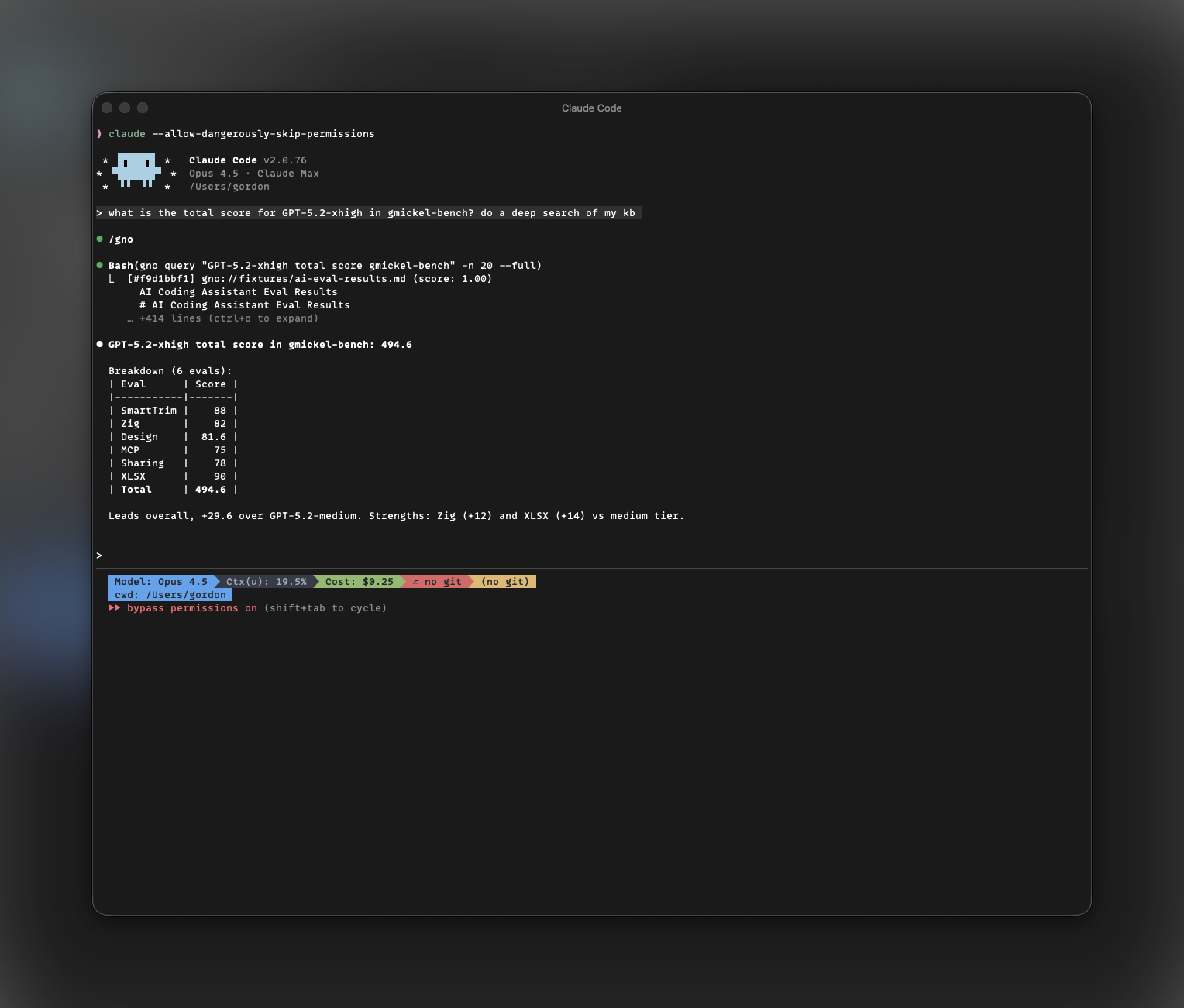
What gets installed:
SKILL.md- Instructions for the agent on how to use GNO- Tool definitions for search, query, and document retrieval
Option 2: MCP Server
For Claude Desktop or Cursor, run GNO as an MCP server:
gno mcp
See MCP Integration for detailed setup.
Workflow Patterns
Research-then-answer:
“Search my notes for anything about the authentication system, then help me debug this login issue”
Documentation lookup:
“Find my API docs and show me how the /users endpoint works”
Cross-reference:
“Search for all mentions of ‘database migration’ across my projects”
Memory/recall:
“What did I write last week about the deployment pipeline?”
Best Practices
- Index relevant collections - Only index what the agent needs
- Use contexts - Add semantic hints for better relevance
- Keep indexes updated - Run
gno updateregularly or use--git-pull - Scope searches - Use collection names to focus agent queries
Import Existing Folders
GNO can now preview imports in the app before indexing starts.
Good uses:
- existing Obsidian vaults
- mixed project doc folders
- note archives with some PDFs or Office docs
What the preview tells you:
- likely folder type (vault, notes folder, mixed docs, binary-heavy)
- rough file-type mix
- duplicate path/name conflicts before indexing
- plain-language guidance about read-only imported binaries vs editable markdown notes
Git Integration
Keep collections in sync with git repositories.
Auto-Pull Before Indexing
Use --git-pull to fetch latest changes:
gno update --git-pull
This runs git pull in every collection that’s a git repository before indexing.
Collection-Level Update Commands
Configure collections to run custom commands before indexing:
# In config
collections:
  - name: wiki
    path: /Users/you/wiki
    updateCmd: "git pull origin main"

  - name: docs
    path: /Users/you/docs
    updateCmd: "git pull && npm run build-docs"
The updateCmd runs in the collection’s root directory.
Automation
Combine with cron or scheduled tasks:
# Daily index update with git pull
0 6 * * * cd ~ && gno update --git-pull --yes
Multi-Language Search
GNO supports 30+ languages with automatic detection.
Setup Language Hints
For collections in a specific language, set languageHint in config:
collections:
  - name: de-docs
    path: /Users/you/docs/german
    languageHint: de
Query Language Detection
GNO auto-detects query language using franc. Searches in German automatically use German-optimized expansion prompts.
Multilingual Embedding
The default bge-m3 embedding model supports 100+ languages. Vector search works across languages - a German query can find relevant English documents and vice versa.
Incremental Updates
GNO only re-indexes changed files.
# After editing files
gno update

# Check what's indexed
gno status
Backup and Sync
GNO stores data in standard locations:
- Config:
~/.config/gno/ - Database:
~/.local/share/gno/ - Models:
~/.cache/gno/(can be re-downloaded)
Backup
# Backup config and database
cp -r ~/.config/gno ~/backup/gno-config
cp -r ~/.local/share/gno ~/backup/gno-data
Restore
# Restore on new machine
cp -r ~/backup/gno-config ~/.config/gno
cp -r ~/backup/gno-data ~/.local/share/gno

# Re-download models
gno models pull --all
Git Sync
You can version-control the config:
cd ~/.config/gno
git init
git add .
git commit -m "GNO config"
The database should not be version-controlled (binary, large).
Legal Document Search
Index contracts, policies, and compliance documents.
Setup
# Index legal documents
gno init ~/legal --name legal --pattern "**/*.{pdf,docx}"
gno update
Workflow
# Find specific contract clauses
gno search "termination clause"

# Semantic search for concepts
gno vsearch "data retention requirements"

# Cross-reference policies
gno query "GDPR compliance obligations"

# Get AI summary of a document
gno ask "summarize the key terms of contract ABC" --answer
Tips
- Use
--fullto see complete clause text - Add contexts like “contracts:” and “policies:” for scoped searches
- Index multiple folders: employment agreements, vendor contracts, policies
Academic Research
Manage academic papers, citations, and literature reviews.
Setup
# Index your paper library
gno init ~/papers --name papers --pattern "**/*.pdf"

# Add notes and annotations
gno init ~/research-notes --name notes --pattern "**/*.md"

gno update
Research Workflow
# Find papers on a topic
gno query "transformer architectures for NLP"

# Find papers by author (keyword in citations)
gno search "Vaswani attention"

# Find related work for literature review
gno vsearch "methods for evaluating language models"

# Get AI synthesis
gno ask "summarize the main approaches to few-shot learning" --answer
Tips
- PDF extraction works with most academic papers
- Use semantic search to find conceptually related work
- Combine papers with your notes for better context
Technical Writing
Index specs, RFCs, ADRs, and design documents.
Setup
# Index design docs
gno init ~/docs/specs --name specs --pattern "**/*.md"
gno init ~/docs/adrs --name adrs --pattern "**/*.md"
gno init ~/docs/rfcs --name rfcs --pattern "**/*.md"

gno update
Workflow
# Find relevant specs
gno query "API authentication requirements"

# Search across all design docs
gno search "database schema decisions"

# Find ADR context
gno query "why did we choose PostgreSQL"

# AI summary
gno ask "what are the key constraints in the payment system spec" --answer
Tips
- Add contexts: “specs:” “adrs:” “rfcs:” for scoped searches
- Index RFC status in the content or filename
- Combine with meeting notes for decision context
Knowledge Base for Teams
Shared documentation for team reference.
Setup
# Index team wiki (synced via git, Dropbox, etc.)
gno init /shared/team-wiki --name wiki

# Index runbooks
gno init /shared/runbooks --name runbooks

# Index internal docs
gno init /shared/docs --name team-docs

gno update
Team Workflow
# Find procedures
gno search "deploy to production"

# Search runbooks
gno query "database backup restore" --collection runbooks

# Find team decisions
gno query "how do we handle on-call"

# AI answers from team knowledge
gno ask "what is the incident response process" --answer
Keeping in Sync
# Pull latest docs before searching
gno update --git-pull

# Or configure auto-update
# In config:
# collections:
#   - name: wiki
#     path: /shared/team-wiki
#     updateCmd: "git pull"
Tips
- Use a shared network folder or git repo
- Each team member can run GNO locally for fast private searches
- MCP integration lets Claude search team knowledge